Laptop Screen Repair Problems in Succasunna, NJ
A laptop that powers on but shows a blank, flickering, distorted, or cracked display does not always need the same repair. The problem may be the LCD panel, the display cable, the graphics hardware, or even a software setting. Knowing the difference can prevent unnecessary parts replacement and help you explain the symptoms clearly when you bring the computer in for service.
This guide covers the most common signs we see when diagnosing laptop display problems at AJ’s Computer Solutions in Succasunna, New Jersey.
Signs the laptop screen itself is damaged
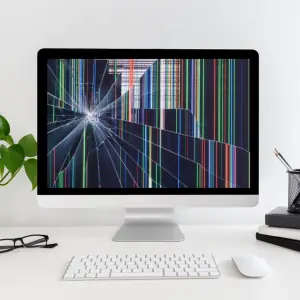
Physical screen damage is usually the easiest display problem to recognize. A cracked LCD may show black blotches, colored lines, white areas, or a pattern that looks like spilled ink under the glass. The computer may still start normally even though part or all of the image is unreadable.
- Visible cracks or pressure marks
- Black, purple, or rainbow-colored patches
- Vertical or horizontal lines that remain in the same place
- A very dim image even when brightness is turned up
- Only part of the screen displays correctly
If an external monitor works normally while the built-in display remains damaged, the laptop screen or its connection is a likely cause. Our laptop repair service can test the panel and identify the correct replacement part.
Signs of a loose or damaged display cable
A thin video cable runs through the laptop hinge and connects the motherboard to the screen. Repeatedly opening and closing the lid can loosen or damage that cable over time.
Cable-related symptoms often change when the screen angle changes. The picture may flicker, briefly return, change color, or disappear when the lid is moved. Because a failing cable can look similar to a bad screen, testing before ordering parts is important.
Signs the graphics hardware may be responsible
If the same distortion appears on both the laptop display and an external monitor, the screen itself may not be the problem. The cause could be the graphics driver, overheating, memory, motherboard circuitry, or a failing graphics processor.
- Artifacts or blocks appear on every display
- The computer freezes or restarts during graphics-heavy tasks
- The display problem begins after the laptop becomes unusually hot
- Windows loads with a low resolution or reports a graphics error
- No image appears on either the internal or external display
These symptoms require a broader hardware and software diagnosis. See our computer repair services for help with complete system testing.
Safe checks you can try before scheduling a repair
- Restart the laptop. A temporary driver or sleep-mode problem can sometimes cause a blank display.
- Increase the brightness. Use the keyboard brightness keys and confirm the screen was not dimmed accidentally.
- Connect an external monitor or television. This helps separate a screen problem from a graphics or startup problem.
- Watch what happens when the lid moves. Do not force the hinge. If the image changes with the angle, stop moving it and arrange a diagnosis.
- Back up important files when possible. If the computer still works with an external display, make a current backup before the condition worsens.
Avoid pressing on the LCD, repeatedly flexing the lid, or buying a replacement screen based only on the laptop model name. Many models use several panel types and connector positions.
Why an accurate diagnosis matters
A cracked screen, failing cable, damaged hinge, backlight problem, and motherboard fault can produce overlapping symptoms. A proper diagnosis checks the laptop with known-good equipment and confirms the exact component before repair. That approach saves time and reduces the chance of replacing a good part.
Laptop screen repair in Succasunna, NJ
AJ’s Computer Solutions repairs laptops for customers in Succasunna, Roxbury Township, Morris County, and nearby North Jersey communities. Bring the laptop and its charger to our Route 10 shop, or contact us first if you are unsure whether the computer is safe to continue using.
Need help with a damaged or blank laptop display? Contact AJ’s Computer Solutions or call 908-361-9590 to discuss the symptoms and repair options.
Frequently asked questions
Can a cracked laptop screen be repaired without replacing it?
The LCD panel is normally replaced as a complete part. Surface films and internal liquid-crystal damage are not practical to repair individually.
Why does my laptop screen work only at certain angles?
A changing image can point to a loose or damaged display cable, hinge-area damage, or an intermittent screen connection. The laptop should be inspected before the cable fails completely.
Does an external monitor prove the laptop screen is bad?
It is a useful test, but not absolute proof. A working external monitor makes the internal panel, cable, or backlight more likely, while additional testing confirms the cause.
Should I keep using a laptop with a flickering screen?
Occasional software-related flicker may be harmless, but flicker caused by a cable, hinge, power, or graphics fault can worsen. Back up important data and arrange service if the problem repeats.